
Below are the instructions on how to set up a Weight Scale in ShipVia Web:
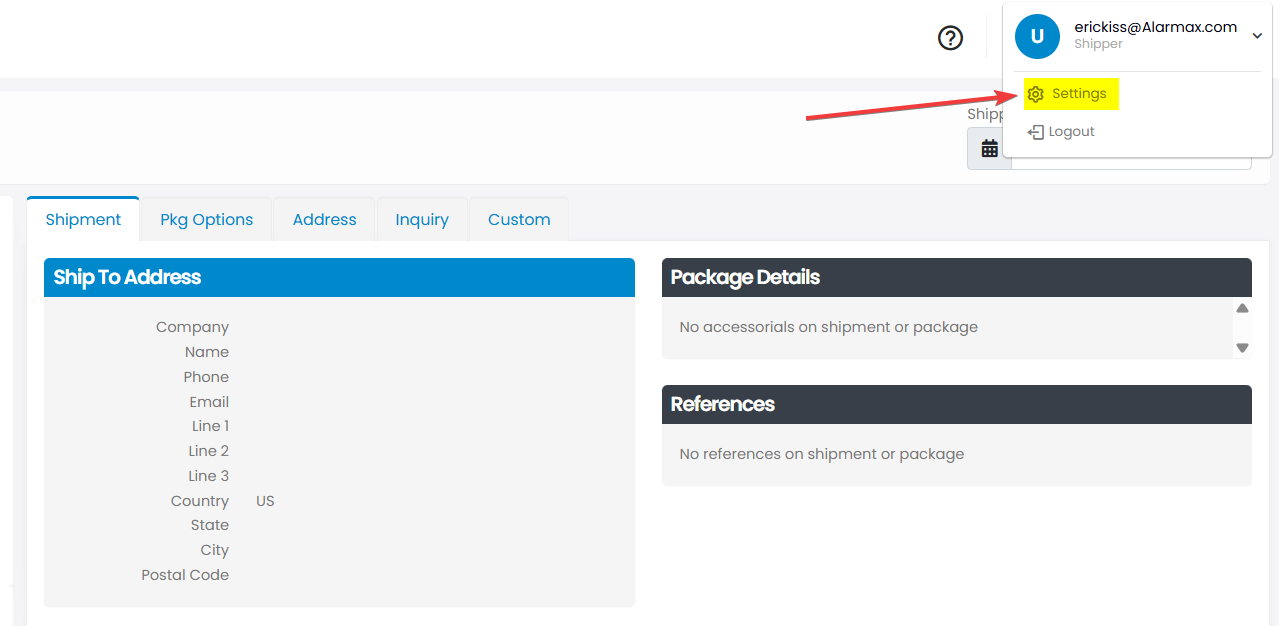
Step(1)
In the top-right corner, click Settings.
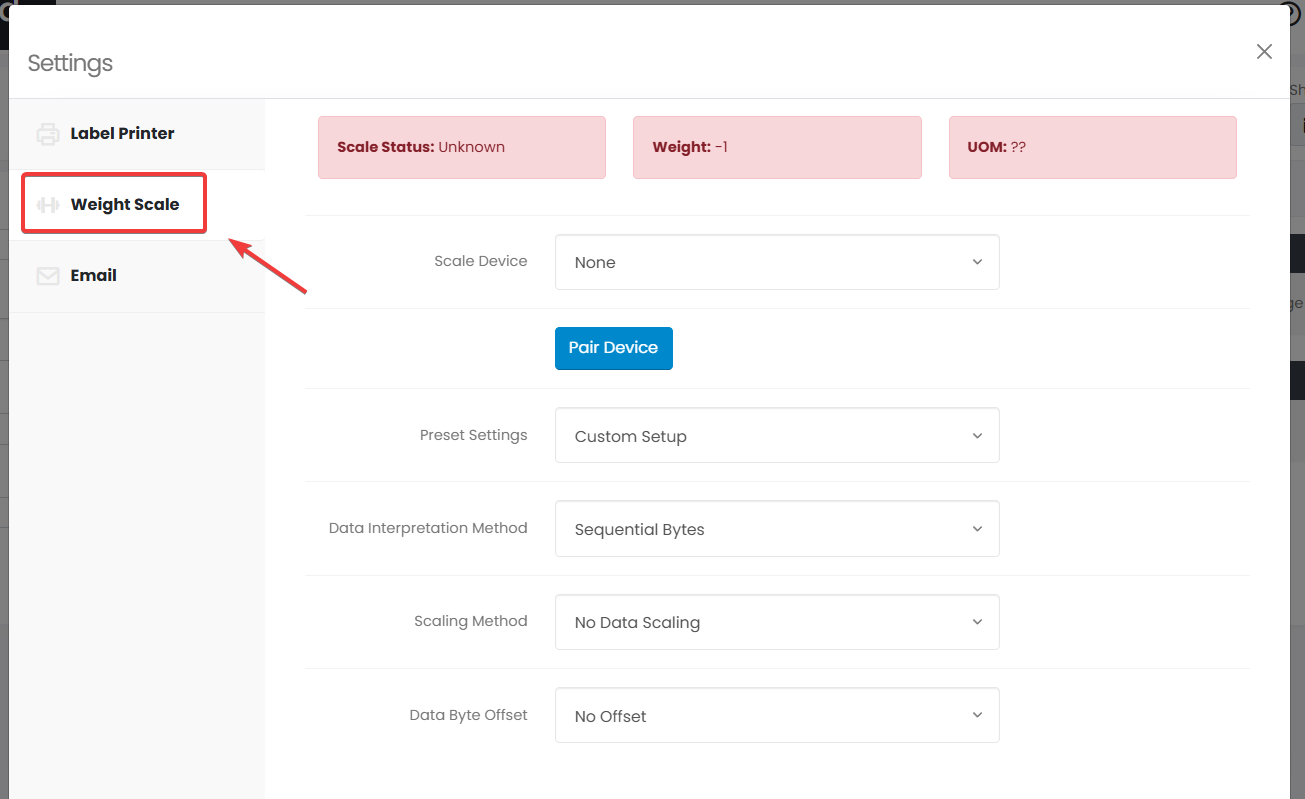
Step(2)
On the left, click Weight Scale.
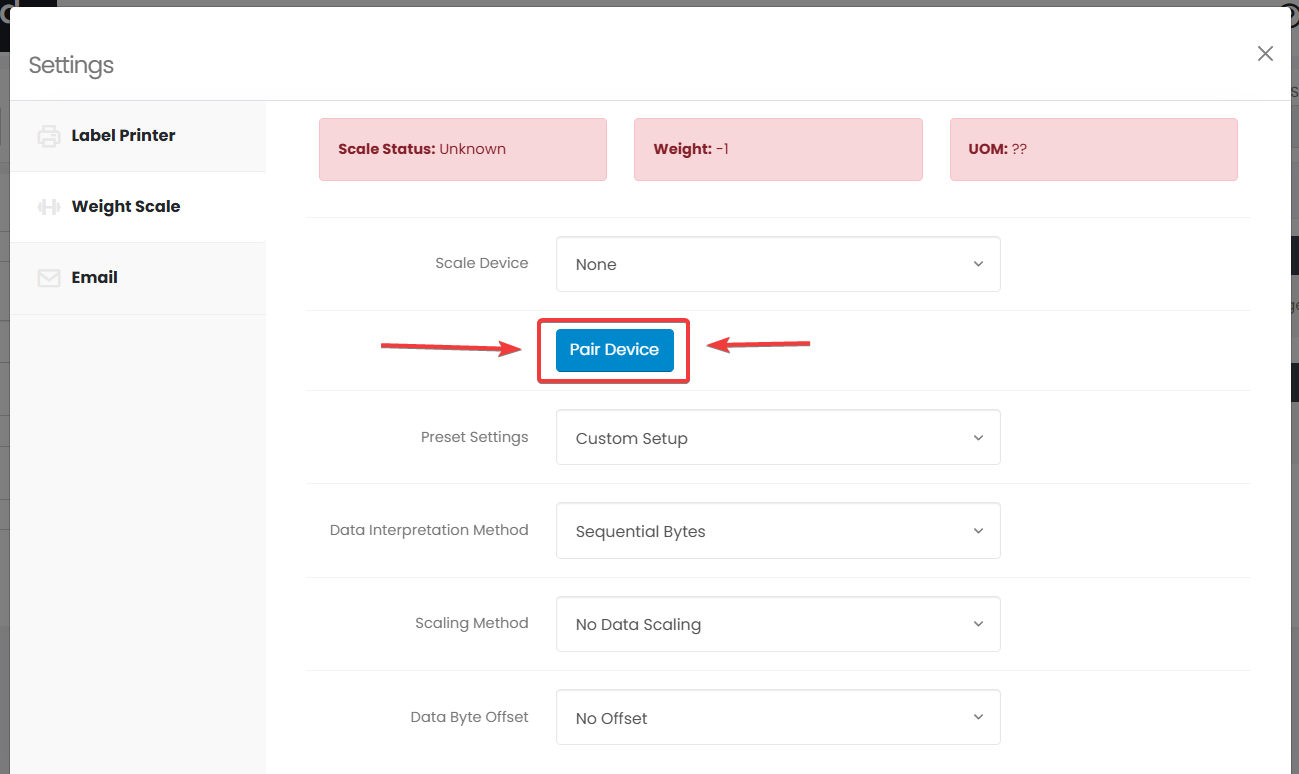
Step(3)
Pair your scale to ShipVia.
Step(4)
Find and connect your scale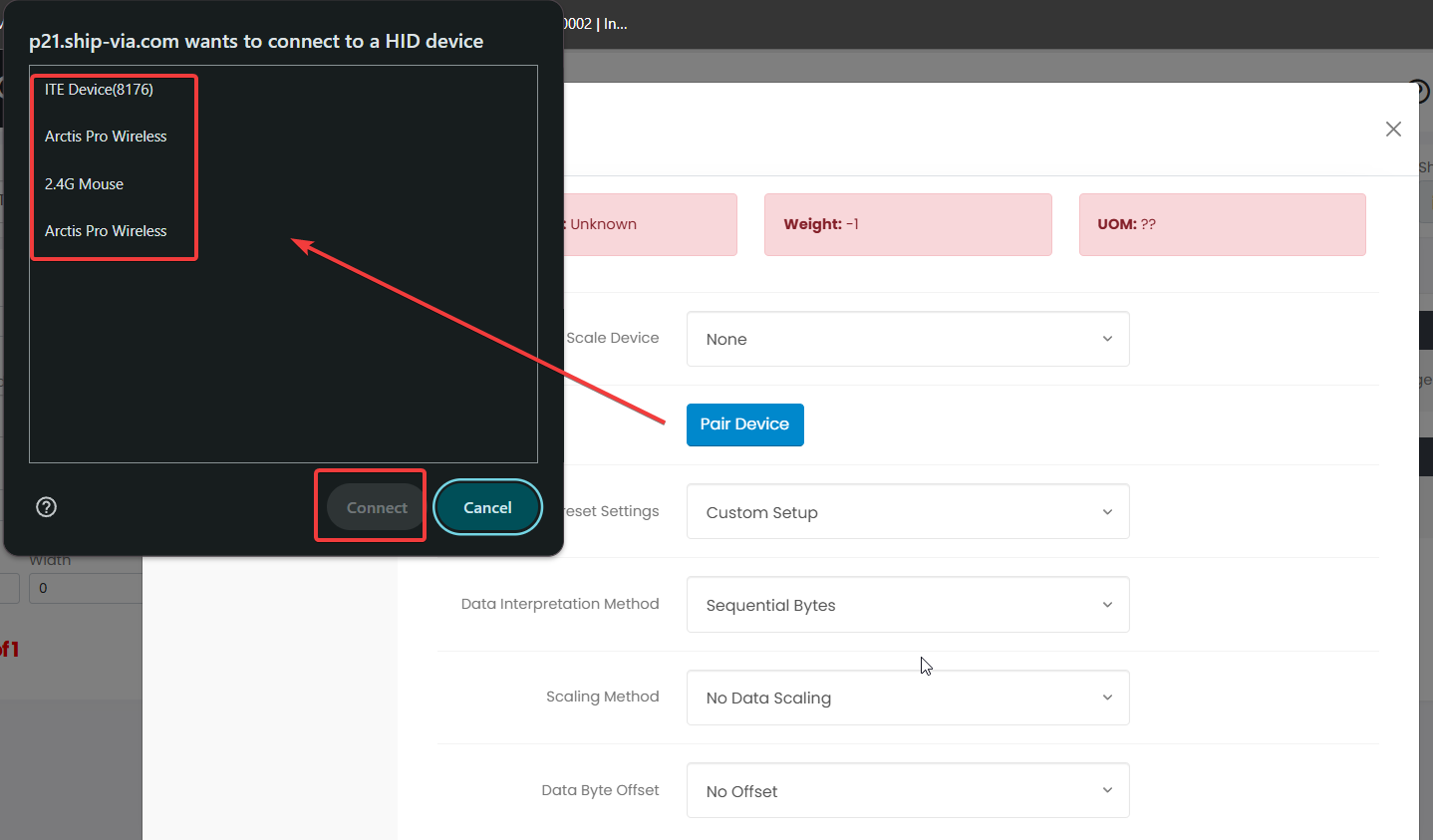
Step(5)
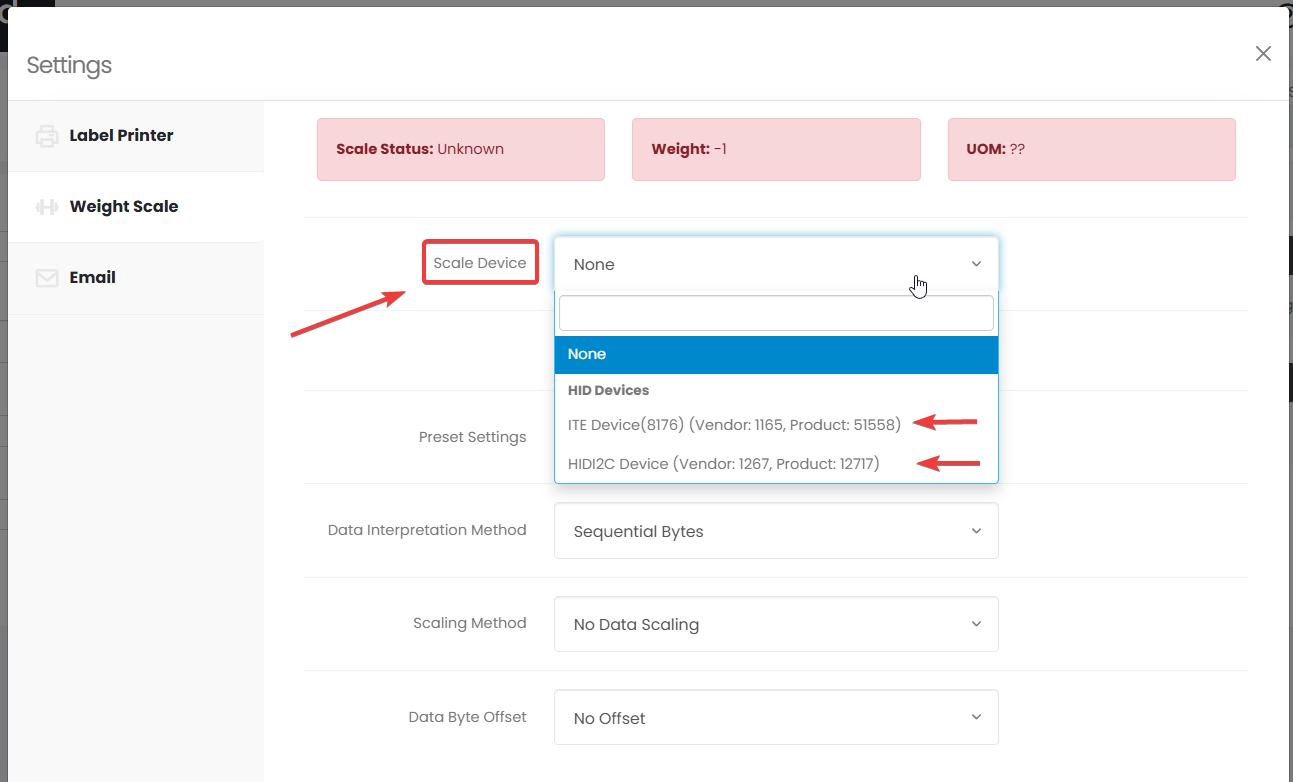
Find and select your device/scale
Step(6)
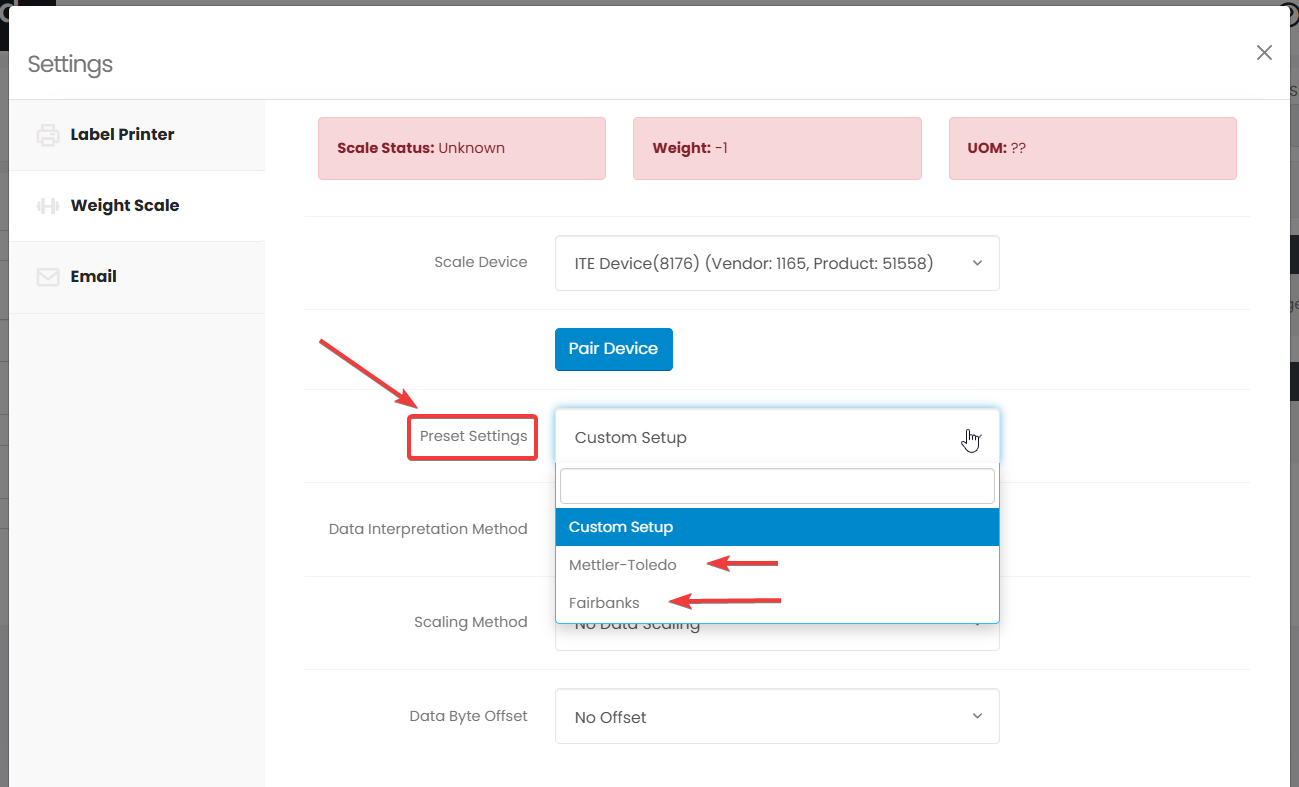
You can select a preset or use the custom option for the scale.
Step(7)
If you select the custom option, you can tweak the setting shown.
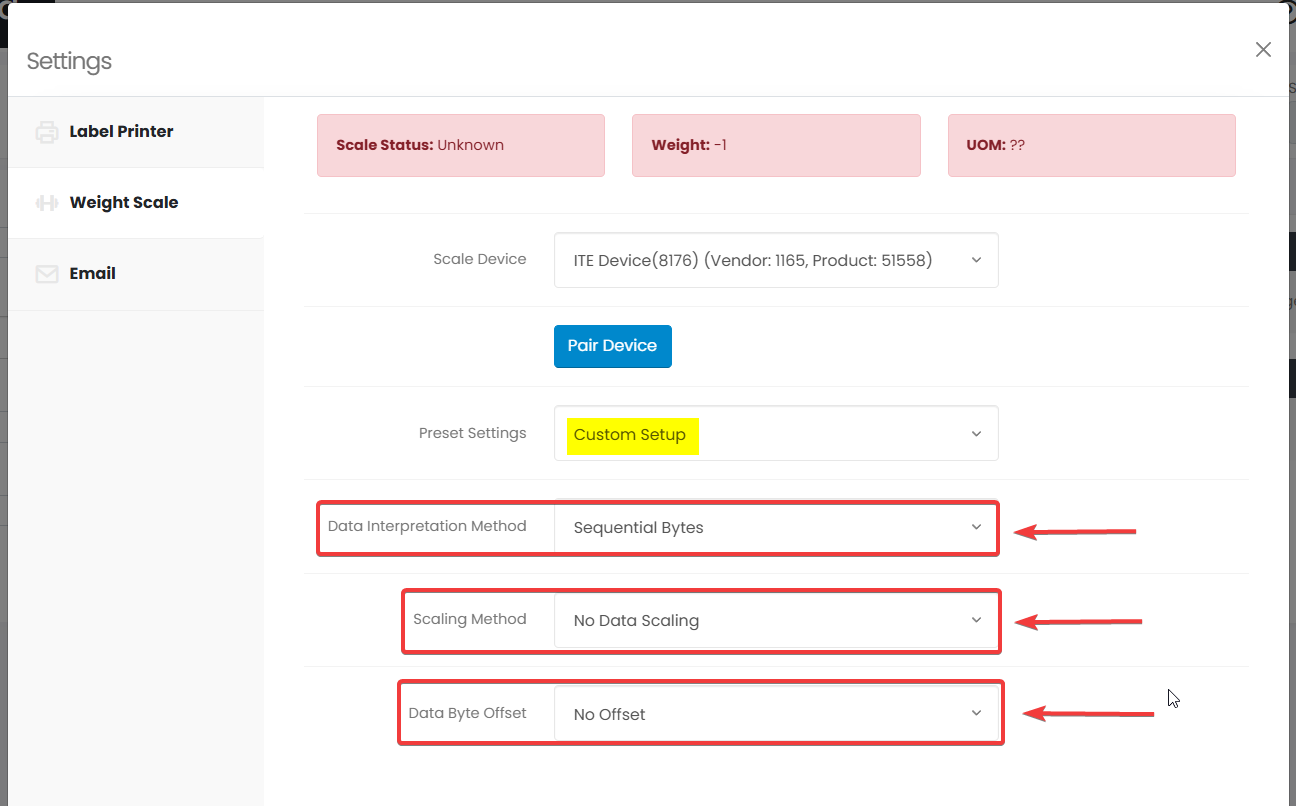
After pairing and selecting your device place a box on the scale to see the values at the top update live.

NOTE: Some scales may not work right away, so you may need to adjust the custom settings depending on your scale.
Let us know if you have any issues or questions.