
Please follow the instructions I've included below to set up a printer.
Disclaimer: Use 203dpi ZPL Zebra Thermal Label Printers; otherwise, non-compliant Devices may not work.
1) Make sure your printer is properly connected to the PC by printing a test.
2) Make sure the printer's driver is up-to-date
3) You can see what printers are connected to the PC if you search (Device Manager > Printers)
4) Update the driver by right-clicking the printer in (Device Manager > Printers > Right-Click > Update Driver)
5) Open the desktop app and follow the instructions below:
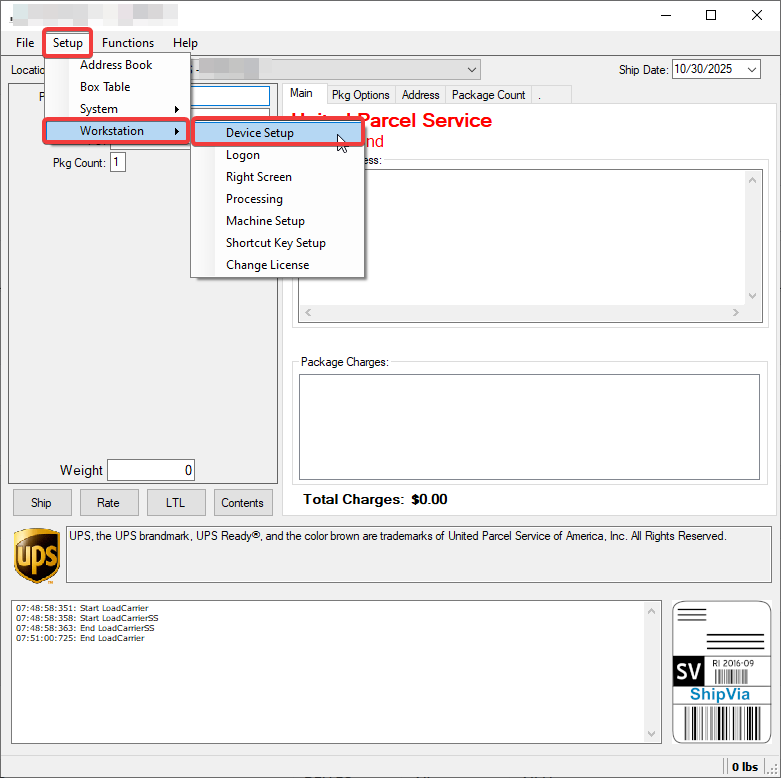
(Setup > Worckstation > Device Setup)
(If you do not see your printer in the list, click "Add")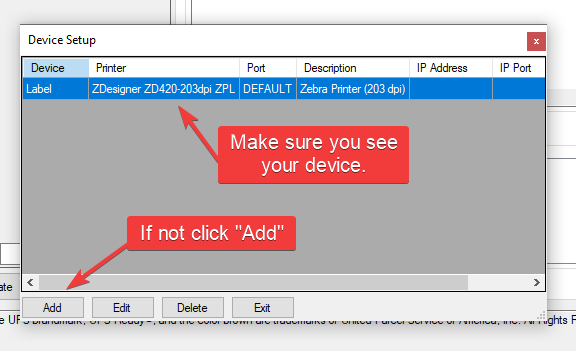
(Selecet your device and press "Save")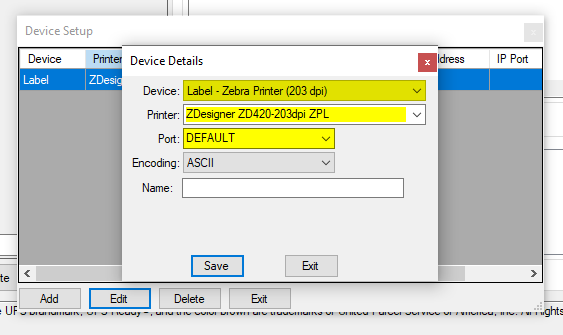
Tip:
If you do not have the required Zebra Printer, you may need to play with the device details in order to get the printer to work.
Let us know if you have any issues.